Pi0.5 Attention Analysis

What Does Pi0.5 See?

A guided tour through the attention patterns of a Vision-Language-Action model, revealing how it decides where to look and what to do.

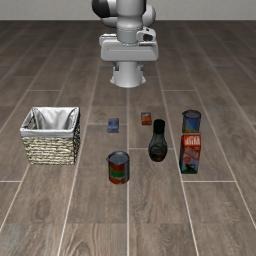
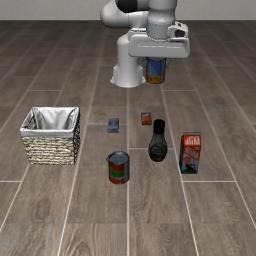
Raw camera view Raw Camera View
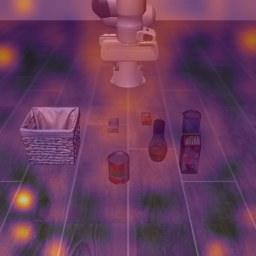
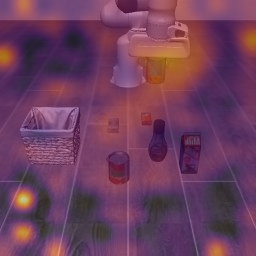
Attention heatmap Attention Heatmap

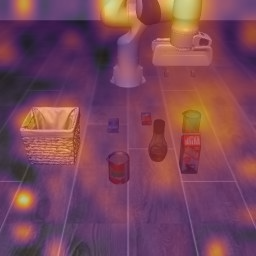
What you're looking at is something remarkable. On the left, a simple camera image from a robot's workspace. On the right, the same image transformed to show where Pi0.5 is actually looking when it decides how to move. Those bright spots are the model's attention — and what it focuses on tells us everything.

1 The Task

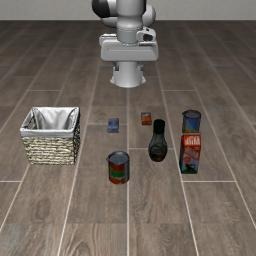
A LIBERO benchmark task: pick up the alphabet soup and place it in the basket. Simple for humans, but for a robot it requires perceiving objects, planning grasps, and executing a sequence of 7-DoF arm movements.

Current frame

The task is straightforward: pick up a can of alphabet soup and place it in a basket. Scrub through these key moments to see the full trajectory — from approach, to grasp, to transport, to placement.

2 Inside Pi0.5

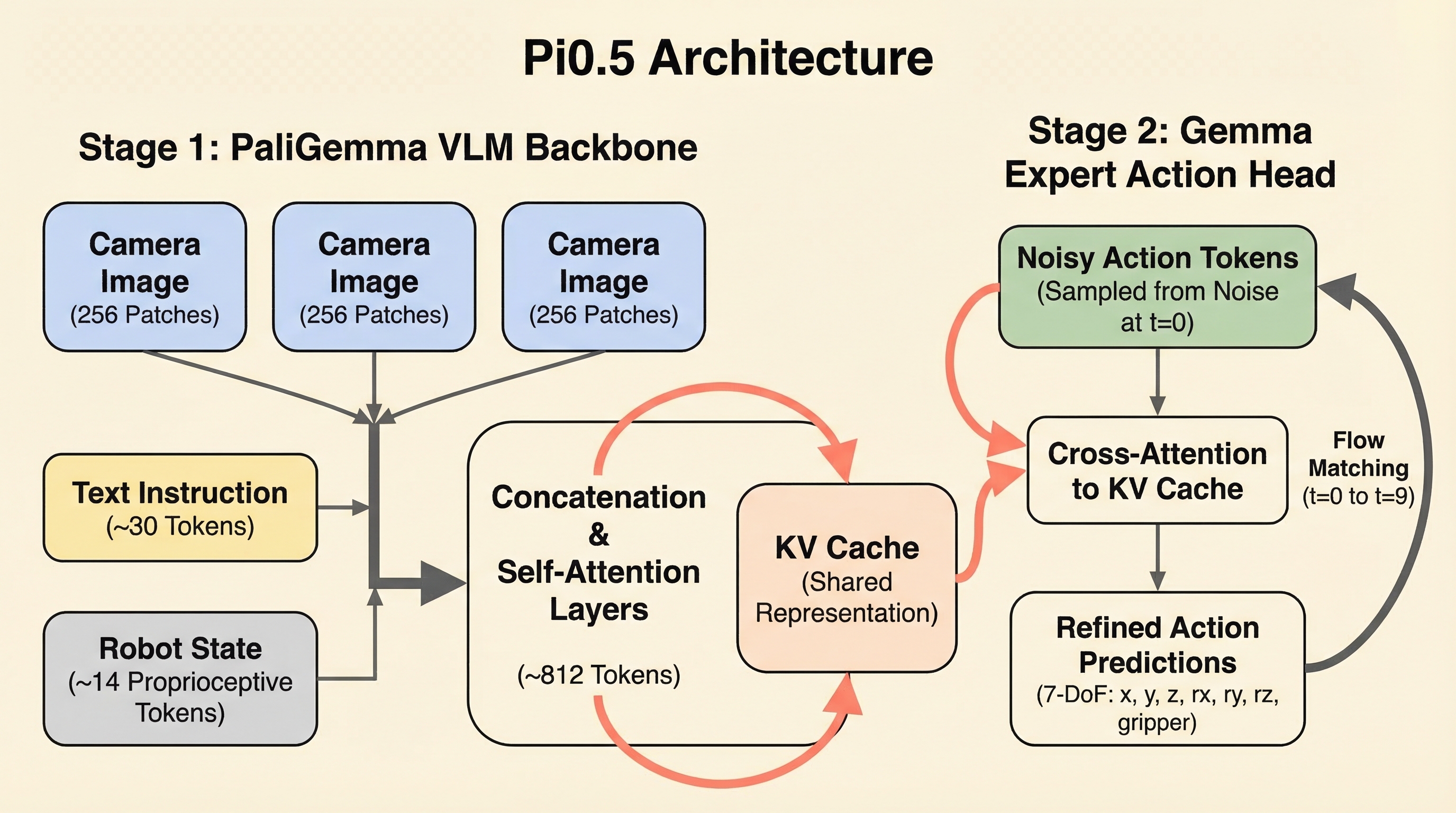
Pi0.5 uses a two-stage architecture. A Vision-Language Model creates a shared understanding of images, text, and state. Then an expert action head queries that understanding through cross-attention to produce motor commands.

Pi0.5 Architecture

The key insight: the action head doesn't see the images directly. It only accesses them through the attention mechanism. This means the attention patterns are literally the model's window into the visual world.

3 The Input Sequence

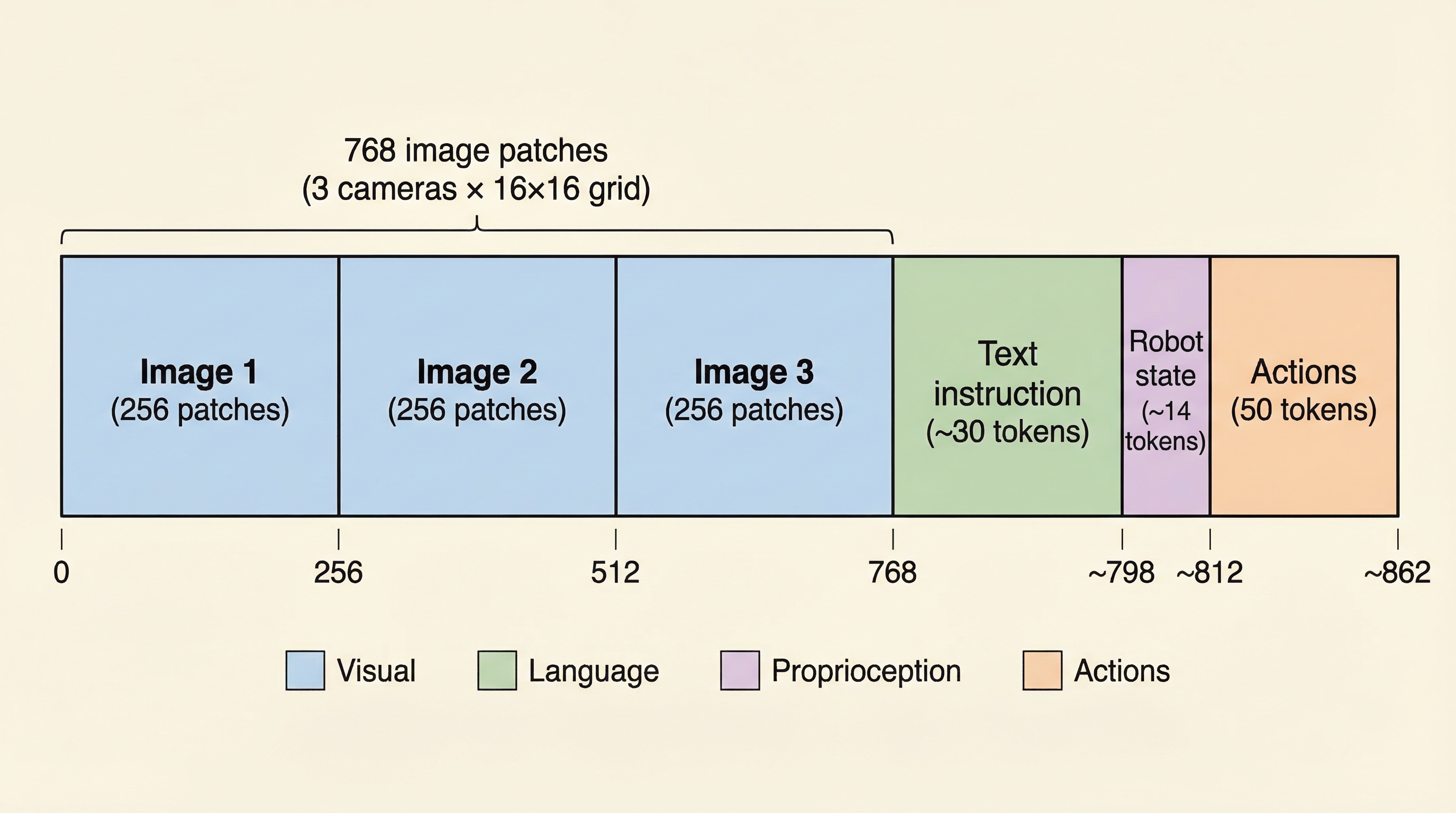
Everything gets serialized into a single token sequence. Understanding this layout is key to reading the attention visualizations that follow.

Input Sequence Layout

Token Breakdown

Image 1 Tokens 0–255 256 patches (16×16 grid)
Image 2 Tokens 256–511 256 patches (16×16 grid)
Image 3 Tokens 512–767 256 patches (16×16 grid)
Text Tokens 768–~798 ~30 instruction tokens
State Tokens ~798–~812 ~14 proprioceptive tokens

The attention patterns across these segments reveal exactly what information the model uses for each action decision. When we see bright patches in the image region, that's where the model is looking. When text tokens light up, those are the words driving the action.

4 Expert Attention: Where Actions Look

These heatmaps show where the expert action head focuses when computing motor commands. Brighter = more attention. Use the controls to explore different steps and heads.

Guided Walkthrough — Explore attention patterns step by step

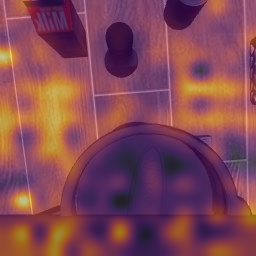
Look at the heatmap — attention concentrates on objects, not background. The bright spots reveal where the model actually looks when deciding how to move the arm.

The controls have been set to Step 0, t=9, Average heads, View 1

Now look at Head 0 specifically — individual attention heads specialize on different aspects of the scene. This head may focus on the target object.

Switched to Head 0 — compare with the average view

Switch to Head 1 — notice how it attends to different spatial regions. Each head learns a complementary visual strategy.

Switched to Head 1 — see how heads divide labor

Jump to Step 40 — the task is now in the grasp phase. Watch how attention shifts to track the soup can as the arm approaches.

Advanced to Step 40, back to average heads

At Step 100 — the arm is carrying the soup. Attention now highlights the basket destination rather than the soup. The model plans ahead.

Jumped to Step 100 — attention on the destination

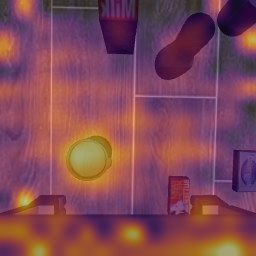
Finally, switch to Camera View 2 (wrist camera) — the model gets a completely different perspective and attends to different features from this close-up viewpoint.

Switched to View 2 — wrist camera perspective
Raw view
Raw Camera View
Attention heatmap
Attention Heatmap Overlay

Notice how the attention isn't spread uniformly. It concentrates on specific objects and regions that are relevant to the current phase of the task. Try switching between different attention heads — each head learns to focus on different aspects.

5 The Denoising Journey

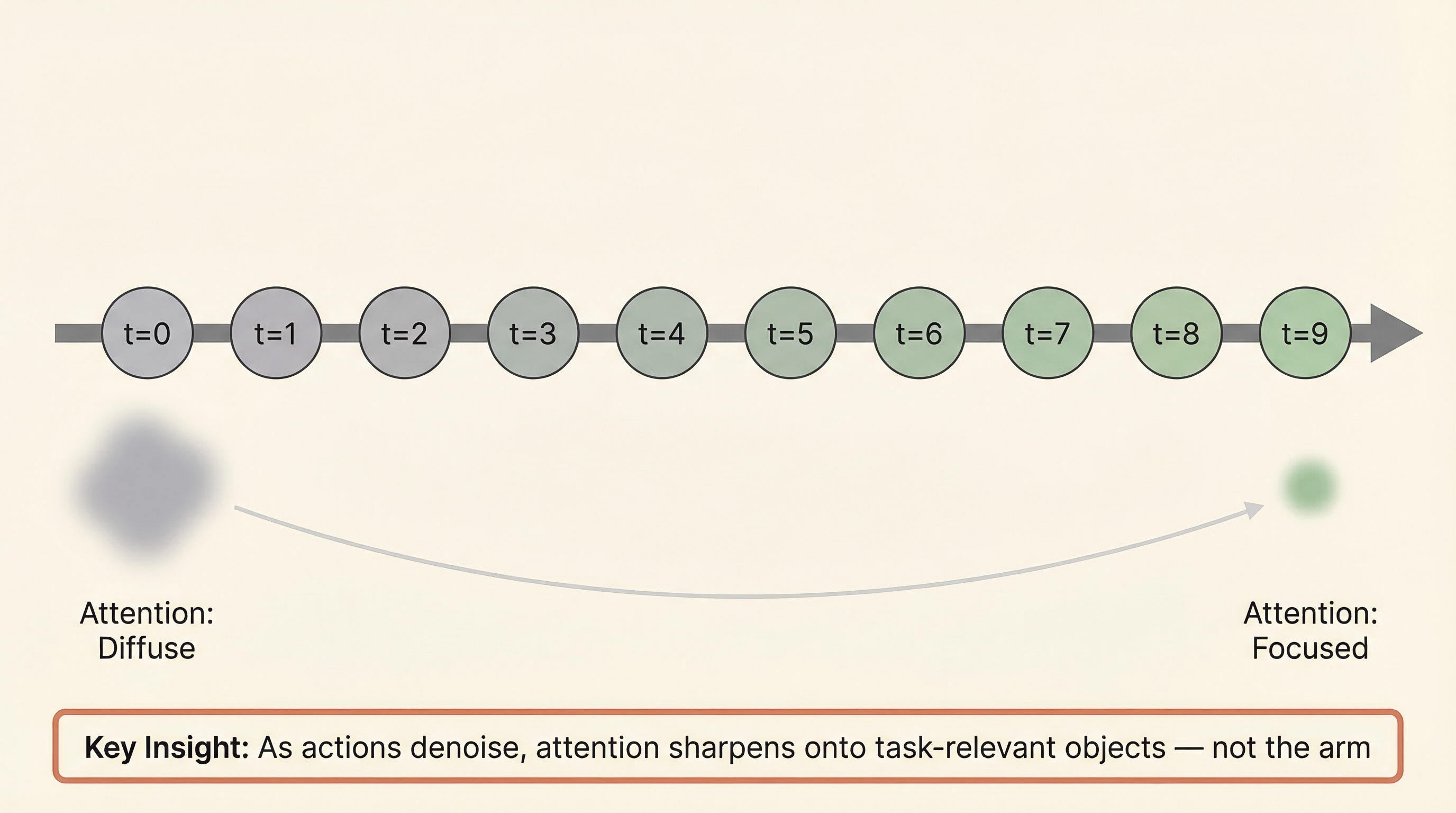
Pi0.5 generates actions through 10 flow matching steps, starting from pure noise (t=0) and refining to clean actions (t=9). Watch how attention sharpens as actions become clearer.

Flow Matching Concept

Drag to denoise

t=0 (noise) t=9 (clean)
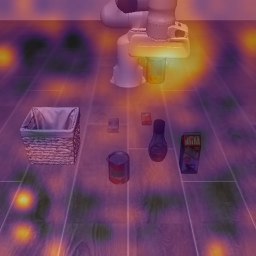
t=0 — Pure noise: attention scattered across the entire scene
Denoising t=0
View 1 — t=0
Denoising t=0
View 2 — t=0

As actions denoise from pure noise to clean predictions, attention sharpens dramatically onto task-relevant objects. The model learns WHERE to look, not just WHAT to do.

Watch how the attention pattern evolves. At time step zero, the attention is diffuse and scattered. By time step nine, it sharpens dramatically. The model literally learns to focus as it refines its predictions.

6 Cross-Modal Attention: Text & State

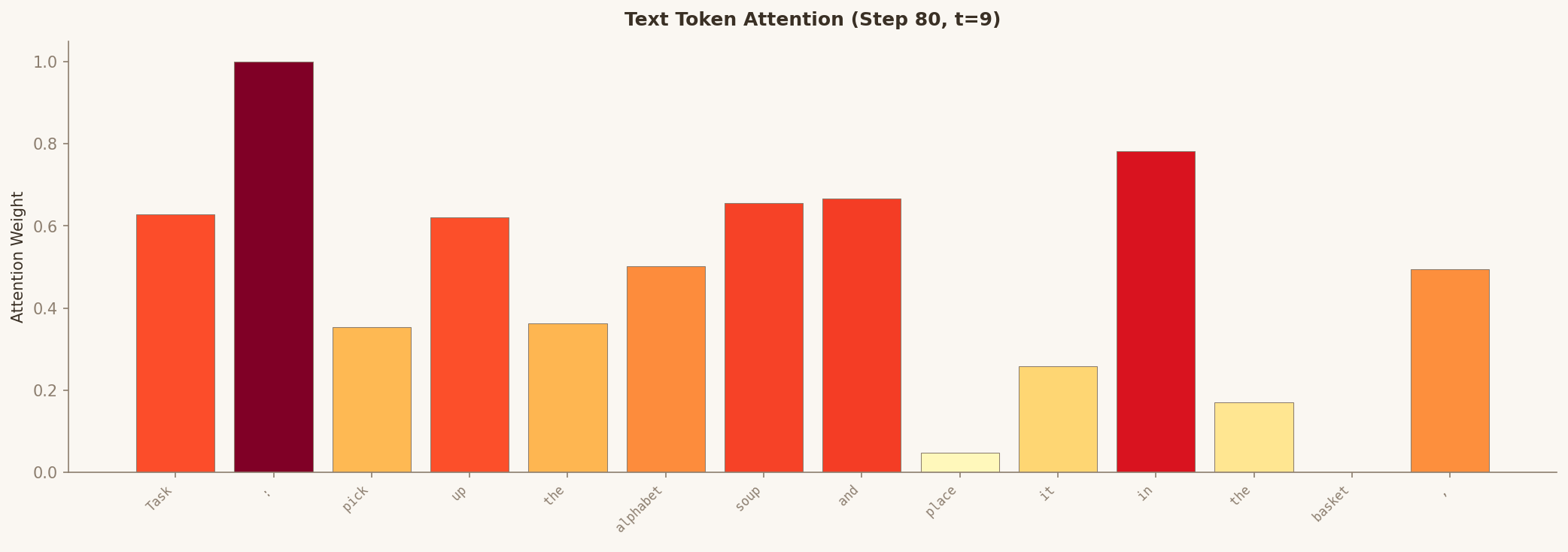
The model doesn't just look at images. It attends to the text instruction and the robot's joint state. These charts show which tokens receive the most attention.

Token attention bar chart

Notice which words get the most attention — they tend to be the object nouns and action verbs most relevant to the current step. Toggle to state tokens to see how proprioceptive information is weighted.

7 The Arm Paradox

The robot arm dominates every camera frame. You'd expect the model to focus heavily on it. But the attention tells a different story.

Raw view with arm visible Attention heatmap - arm is cold
Raw image (arm dominates) Attention heatmap (arm is cold)

The model largely ignores the robot arm in visual attention. Why? Because the arm's position is already encoded in the state tokens (proprioception). The model focuses visual attention on what it can't get from proprioception — the objects and the destination.

Here's perhaps the most fascinating finding. The robot arm dominates the visual field, but the model largely ignores it. It knows the arm position from state tokens. So it focuses visual attention on targets and destinations — what it can't get from proprioception alone.

8 Language Attention

Inside the PaliGemma language model, text tokens and image patches attend to each other. This cross-modal attention grounds language in visual perception. But which tokens matter most?

The Instruction Tokens

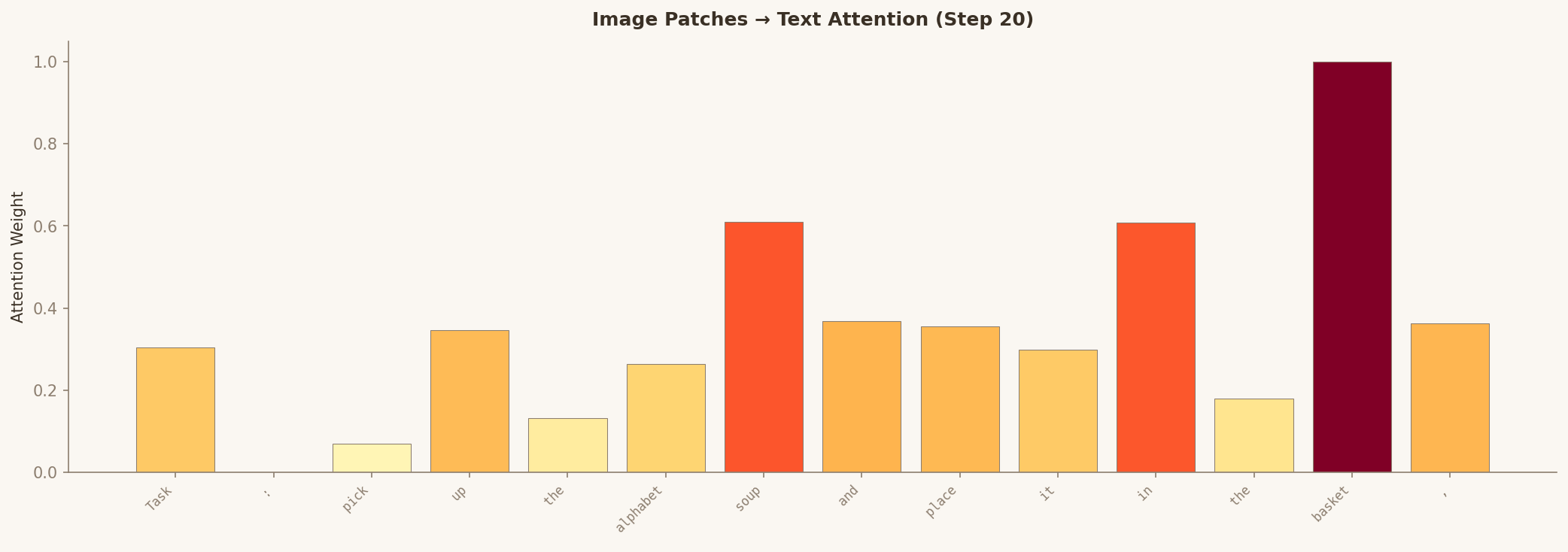
Task : pick up the alphabet soup and place it in the basket .

Highlighted tokens are task-relevant nouns — these receive disproportionate attention from image patches.

This heatmap shows the average of all text tokens' attention to image patches. It reveals general task relevance — where the language model's text representations "look" in the visual field — rather than individual word grounding.
Text→Image1 attention
Text → Camera 1
Text→Image2 attention
Text → Camera 2

Start with the "Text → Image" view — this shows where the language model's text representations look in the visual field. It highlights general task relevance. Then switch to "Image → Text" — this is where it gets really interesting. You'll see a bar chart showing how much attention each text token receives from the image patches. Notice how "soup" and "basket" clearly stand out above function words like "the" and "and." The model has learned to connect visual objects with their names.

"basket" (~1.0 attention weight) and "soup" (~0.61) tower above function words like "the" (~0.13). The model has learned to connect visual objects with their linguistic labels — this is visual grounding in action.

9 Live Interactive Explorer

Go beyond the pre-rendered visualizations. This explorer connects to a live analysis server, letting you investigate any combination of step, layer, head, and timestep in real time.

Checking server connection...
Server is offline. To run your own analysis server:
  1. Clone the VLAExplain repo
  2. Install dependencies: pip install -r requirements.txt
  3. Run: python src/analyzer/main.py
  4. Update the server URL below
Server configuration
0
Avg H1 H2 H3 H4 H5 H6 H7 H8
0.6
Raw View 1
Raw Image — View 1
Raw View 2
Raw Image — View 2
Heatmap View 1
Attention Heatmap — View 1
Heatmap View 2
Attention Heatmap — View 2
Text Attention
Text Attention Distribution
State Attention
State Attention Distribution
Action Sequence Attention
Action Sequence Attention Distribution
0
0.6

Select tokens to visualize

Loading tokens...
View 1 Original
View 1 — Original
Text → View 1
Text → View 1
View 2 Original
View 2 — Original
Text → View 2
Text → View 2
Text → State
Text → State Attention

Click on image patches to select regions

Camera 1 for patch selection
Camera 1 — click patches
Camera 2 for patch selection
Camera 2 — click patches
Vision → Text 1
Vision → Text (View 1)
Vision → Text 2
Vision → Text (View 2)
Vision → State 1
Vision → State (View 1)
Vision → State 2
Vision → State (View 2)

Select state tokens to visualize

Loading state tokens...
State → View 1 Orig
View 1 — Original
State → View 1
State → View 1
State → View 2 Orig
View 2 — Original
State → View 2
State → View 2
State → Text Attention